Late, but I brought the bastion
NIS2 wants named, traceable access. I tried doing it with open source parts: Entra ID, Dex, Warpgate and OpenBao, plus an audit trail that leads from every command back to a person. A one-day proof of concept, tested at home.
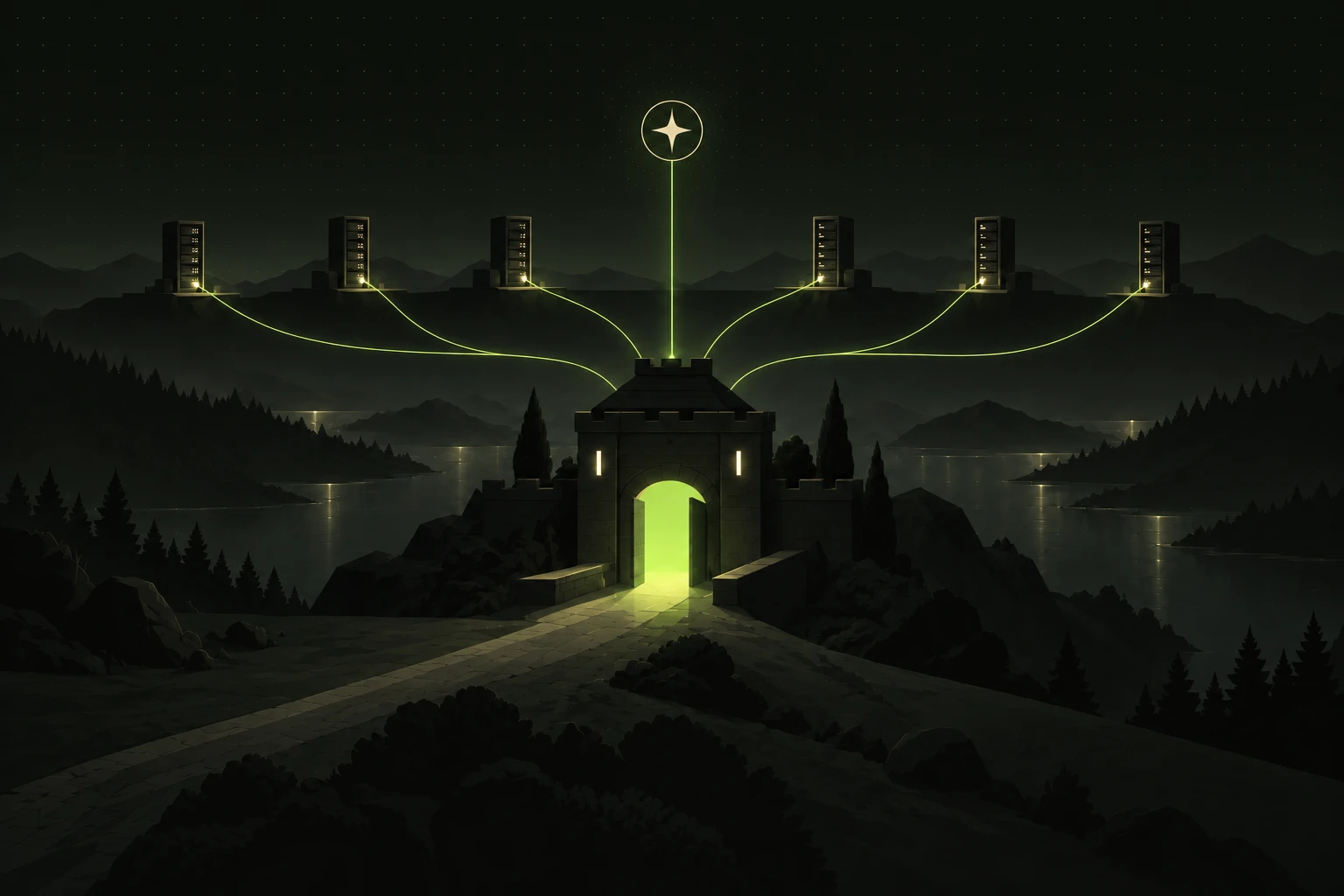
I'm late to the regulated-access party. Not because I didn't care: where I worked before, it was simply never needed. A VPN, an SSH key and trust in your colleagues were enough.
Then NIS2 arrived, and trust has to be put in writing.
Where it starts
A note for non-Italian readers. NIS2 is an EU directive, but every member state transposes it with its own law and its own technical measures. Everything legal in this post (deadlines, measure codes, privacy and labour rules) refers to Italy. The architecture works anywhere; the rules you have to map it to may differ in your country.
In Italy NIS2 is Legislative Decree 138/2024, in force since October 2024. The actual measures were written by ACN, the national cybersecurity agency, in determination 379907/2025. They must be adopted within 18 months of being notified as a NIS entity, for those listed in 2025 (for those listed in 2026 the deadline is 31 July 2027). The first notifications went out in April 2025, so for many the deadline is now, October 2026. It's an obligation, full stop.
There's a whole chapter on access tracing and security. At work we had some systems to update and secure, even where it wasn't strictly required. Above all we needed something simple and cloud native.
The goal:
- an enterprise solution that plugs into Entra ID, because that's what we use at work;
- simple to manage;
- something that can be handed over to another team.
This is usually done with a commercial access manager: a desktop client, often Windows only, per-user licenses, and another team running it. It works, but it's clunky. I wanted to see whether the same result could come from open source parts that run in containers and are configured declaratively with infrastructure as code.
What the rules ask for
These are the Italian measures, written by ACN; other countries have their own catalogues. They're in the annexes of the determination: Annex 1 for important entities, Annex 2 for essential ones. The ones about access:
| Measure | What it asks, in short |
|---|---|
| PR.AA-01 | Accounts inventoried and individual, "except for justified and documented technical reasons"; periodic review of accounts and permissions |
| PR.AA-03 | Multi-factor authentication on relevant systems |
| PR.AA-05 | Least privilege; admin accounts separate from regular ones |
| PR.PS-04 | All remote access and all access with administrative privileges is logged, with logs kept securely and possibly centrally |
| PR.IR-01 | Remote access documented, with a list of reachable systems |
| DE.CM-01 | Points 5 and 6, essential entities only: monitor remote access, "significant administrative events" and access abusing privileges |
And since 2008 the Italian data protection authority has required logging system administrators' logins, with tamper-proof logs kept for at least six months.
Keys aren't the problem
There's nothing wrong with static SSH keys, as long as the way to reach them is secure and sits behind several layers of security. The problem is that NIS2 and ACN want to know who got in.
On a project managed with infrastructure as code, everyone working on it has roughly the same permissions. Often you log in as a passwordless sudoer that can become root. Real named accounts would mean registering every person on every machine, with their permissions and groups, at a very low level. So LDAP wired into SSH through SSSD, the bind, the user created on first login, the cached password. A huge mess 😅, and unmanageable once you have hundreds of machines.
It's much better to have something that lets you in with the right thing, in the right place, without registering accounts on every server. You take care of bringing people in the right way upstream, and the machines stay as they are: a golden image with everything already set up, you boot it and it's ready. No preparation, no groups to keep in sync.
One doubt remains, and I'll say it openly. If you log into the server with a shared account, but upstream it's always known who you are and everything is traced down to the single command, is that fine for ACN? PR.AA-01 says accounts are individual "except for justified and documented technical reasons". So I think yes, but the reason has to be written down, and be consistent with the risk assessment.
The pieces
The setup separates three questions that a static key mixes together: who you are, where you can go, which credential you get in with.
| Piece | Answers | How |
|---|---|---|
| Entra ID | Who are you? | Login with MFA, security groups |
| Dex | Are you allowed? | OIDC bridge in front of Entra, group filter |
| Warpgate | Where can you go? | Bastion: roles from groups, recorded sessions |
| OpenBao | Which credential? | SSH CA: certificates valid for 5 minutes |
Dex. It's no secret: the SIGHUP Distribution, the open source Kubernetes distribution I contribute to, ships Dex and Pomerium. We use Dex to connect to various SSO endpoints and get SSO in the cluster. It's an identity provider proxy: to applications it's the identity provider, to Entra it's an application. With Pomerium we get an identity-aware HTTPS proxy: you hit Pomerium, it sends you to Dex, you log in, you're sent back and you use the app. On top of that Dex puts Entra group names in the token (infra-admin, not a GUID) and only lets in people from the right groups, in one place. If the identity provider ever changes, you change one connector, not four configurations.
connectors:
  - type: microsoft
    id: entra
    name: Entra ID
    config:
      tenant: <tenant id>
      clientID: <id of the app registered in Entra>
      clientSecret: $DEX_ENTRA_CLIENT_SECRET
      redirectURI: https://<dex>/callback
      groups: [infra-admin, infra-ops]
      onlySecurityGroups: true
type: microsoft: Dex's connector for Entra ID;tenant,clientID,clientSecret: the app registered in Entra for Dex. The secret comes from an environment variable, it's not in the file;groups: whoever isn't in one of these groups doesn't log in, for any application;onlySecurityGroups: only security groups end up in the token, not Microsoft 365 ones.
Warpgate. The web is already covered by Pomerium. What I need to regulate is named SSH access, both for maintenance and for running Ansible (usually launched by other tools), and named access to Kubernetes clusters with kubectl. Warpgate is very simple and straightforward, and speaks every protocol I need: SSH, HTTP, Kubernetes, even MySQL and PostgreSQL. There's no Warpgate client to install: you use plain ssh and kubectl, plus the kubelogin plugin for kubectl login. And it records every session.
OpenBao. It's the open source fork of Vault, under the Linux Foundation. Here it does one small thing: it signs short-lived SSH certificates. I don't know yet how comfortable running OpenBao in production is. But it's a community technology, well known, that many people know how to use, and someone will have to run it anyway, probably my team. You can even have an OpenBao dedicated to this system alone, sitting there quietly doing one job.
All together, including the audit I'll get to later:
flowchart TD
    me["person<br/>ssh · kubectl · browser"] -->|1. access| wg["Warpgate<br/>bastion"]
    wg -->|2. login| dex["Dex<br/>OIDC bridge"]
    dex -->|3. MFA and groups| entra["Entra ID"]
    wg -->|4. sign a 5-minute certificate| bao["OpenBao<br/>SSH CA"]
    wg -->|5. SSH with the certificate| srv["servers<br/>trust the CA"]
    wg -->|kubectl| k8s["Kubernetes cluster"]
    srv -->|auditd: who ran what| fb["Fluent Bit<br/>on every node"]
    wg -->|sessions and certificates| loki
    fb --> loki["Loki"]
    loki --> grafana["Grafana<br/>audit by person"]
How an access works
- You open Warpgate, which sends you to Dex.
- Dex sends you to Entra: login with MFA.
- Dex checks you're in an allowed group (
infra-adminorinfra-ops) and returns to Warpgate, which turns groups into roles. - Warpgate asks OpenBao for a certificate for the server user, valid for 5 minutes, with your name in it.
- Warpgate opens SSH to the server, which accepts the certificate because it trusts the CA.
The same loop, seen from an SSH session in a terminal:
sequenceDiagram
    autonumber
    actor P as Person
    participant W as Warpgate
    participant D as Dex + Entra ID
    participant B as OpenBao
    participant S as Server
    participant A as Audit<br/>Fluent Bit + Loki
    P->>W: ssh -p 2222 to the target
    W-->>P: link to approve in the browser
    P->>D: login with MFA, unless already done
    D-->>W: identity and groups
    W->>W: groups become roles, is the target allowed?
    W->>B: sign for the target user (AppRole)
    B-->>W: 5-minute certificate, key id with the person
    W->>S: SSH with the certificate
    S->>S: sshd checks the CA and logs the key id
    S-->>W: session open
    W-->>P: terminal (session recorded)
    P->>S: commands, through Warpgate
    S->>A: auditd logs every command with its session
    A->>A: command tied to the person
There's no personal key on the server. Just one line of configuration:
# /etc/ssh/sshd_config.d/50-openbao-ca.conf
TrustedUserCAKeys /etc/ssh/openbao-ca.pub
TrustedUserCAKeys tells sshd: accept any certificate signed by the CA whose public key is in that file. OpenBao provides the CA public key, and it's the same for every server: it's the only thing to put in the golden image.
And sshd's log records who it was:
Accepted publickey for deploy ... ID warpgate:<person>:<session id>deploy is the user you log into the server as, possibly the same for everyone. ID is the certificate's key id: Warpgate writes who you are and which session into it, OpenBao signs it, and sshd copies it into the log. It's the thread that ties the server to the person.
Revoking someone's access doesn't touch the servers: you remove them from the group in Entra, and at their next login they can't get in anywhere.
From a terminal you connect with ssh -p 2222 '<user>:<target>@<bastion>'. The first time, Warpgate prints a link to approve in the browser, where you're already logged in with Entra. One detail: Warpgate uses : and # to separate user and target, so Entra usernames must work on a command line. They usually do, except guest accounts, which have #EXT# in the name.
The wow moment was exactly the first SSH connection through Warpgate: it meant the whole loop, the whole contraption, worked. Then in Warpgate I opened the session recording, which plays back like a video, and it was beautiful. 🤩
kubectl through the bastion
The second wow moment was kubectl. To kubectl, Warpgate is an API server: Warpgate gives you the kubeconfig, and login opens the browser on Entra, just like the web (with the kubelogin plugin). Warpgate then talks to the cluster with its own credential, and people never get cluster credentials.
There's a limit to know: to the cluster, every action belongs to Warpgate's service account. The person stays in Warpgate's logs, which also record exec, attach and port-forward. To give different groups different permissions you need several targets on the same cluster, each with its own service account.
Who was that root, really
Warpgate knows who got in, where and when. But it can't see inside a tunnel: remote VS Code, a port forward to a database. To always know who did what, you need auditing on the servers.
What makes it possible is old and already on every Linux box: auditd. At login, PAM assigns the process the login user (auid) and a session number (ses). Every child process inherits them, and they don't change with sudo: whoever becomes root stays, for the audit, the person they were. Two rules, one for 64-bit and one for 32-bit programs, log every command launched by someone who logged in:
-a always,exit -F arch=b64 -S execve,execveat -F auid!=4294967295 -k commands
-a always,exit -F arch=b32 -S execve,execveat -F auid!=4294967295 -k commands
Piece by piece:
-a always,exit: evaluate the rule when each kernel call finishes, and always write the event if it matches;-S execve,execveat: only the calls that start a program, meaning every command run (ls,htop,sudo…);-F auid!=4294967295: only processes with a person who logged in behind them. 4294967295 is -1, "no login": daemons, timers and containers stay out, and with them most of the noise;-F arch=b64andarch=b32: kernel call numbers differ between 64-bit and 32-bit programs, so each needs its own line;-k commands: a label, to find these events withausearch -k commands.
In one sentence: log every program started by someone who logged in, and nothing else.
From there you can walk the whole chain back without opening Warpgate:
- the command, with its
ses; - the login that opened that session, with the sshd pid;
- the sshd line for that pid, with the key id
warpgate:<person>:<session>; - the Warpgate session, with the person and the recording;
- the Entra login, with MFA.
On the server it's three commands:
sudo ausearch -i -k commands -c htop          # the command, with its ses=
sudo ausearch -i -m USER_START --session 10   # the login of that session, with the sshd pid
journalctl -u ssh | grep 'ID warpgate:' # who it was, in Warpgate- the first looks for events labelled
commandsfor the programhtop;-iturns numbers and users into readable names. The result containsses=10; - the second looks for the opening of session 10 (
USER_START), which says which sshd process opened it; - the third looks in the sshd log for that process's line, with the key id
warpgate:<person>:<session>. On some distributions the service is calledsshdinstead ofssh.
If you run ausearch over ssh host '…' without a terminal, add --input-logs: otherwise it reads from stdin and answers <no matches>.
I tested it like this: without looking at Warpgate, only from one server's logs, which command did I run and who was I? Answer: htop, and my name.
The third wow moment was putting it all in one place. Every node runs a Fluent Bit agent that reads auditd and sshd logins. A small Lua script ties each event to the person right on the node, before shipping it. In the center there's Loki with Grafana and an "Audit by person" dashboard: pick a person and see all their breadcrumbs, meaning logins, certificates, sessions and commands across every node. Logs leave the server immediately: whoever becomes root there can still turn auditing off, but can't erase what has already left.
I picked Loki over a real SIEM like Wazuh because it's very light. If work already has a SIEM, the agents can write straight into it: tying events to a person on the node works with any destination.
Privacy and Italian labour law
This section is about Italy: GDPR applies across the EU, but the Workers' Statute, the data protection authority's decisions and the labour inspectorate are Italian, and other countries have their own rules on monitoring employees.
There's a part technology doesn't solve. Logging remote and privileged access is mandatory under NIS2, and the data protection authority has long required system administrators' login logs. Essential entities also have points 5 and 6 of DE.CM-01, which ask to monitor administrative events and access abusing privileges: auditd and the per-person dashboard help cover them. Session recording, instead, goes beyond what the rules ask. It's handy for investigations, but it's an extra.
Anything that records what people do, though, is a tool that makes remote monitoring of workers possible (art. 4 of the Workers' Statute). The data protection authority reads the exception for work tools narrowly, and according to the labour inspectorate, in similar cases, a legal obligation isn't enough to escape it. So you need a union agreement or, failing that, the inspectorate's authorization. Then you need:
- a privacy notice;
- a data protection impact assessment (DPIA);
- a justified retention period.
And I'd add:
- a written purpose: security, never productivity;
- access to recordings only in case of an incident.
So at work it gets switched on after talking to the DPO, HR and worker representatives. This isn't legal advice: it's what I understood from reading, and it needs checking with people who do this for a living.
From proof of concept to production
I tested it at home, on a single machine. It's a proof of concept.
In production I'd build a Kubernetes cluster dedicated to this alone. Inside: load-balanced Warpgate, a Postgres cluster, highly available OpenBao with auto-unseal, and logs on storage that can't be deleted. The alternative is dedicated machines with Docker Compose, but I lean towards the cluster.
And I wouldn't manage that cluster through Warpgate. You could, but you also need super-admin credentials kept somewhere safe, for emergencies only. If that breaks, everything breaks, and you need the famous red button. The bastion and the CA are the crown jewels: whoever controls them controls access to everything, so they must be kept away from the servers they protect.
Made with AI
I built the whole proof of concept with AI support, and that's fine. Actually, without it I couldn't have done it this fast: the whole study took me one day. As I wrote in Who presses the button, it's a tool, and there's no reason to make it a taboo.
A wizard is never late
"A wizard is never late, Frodo Baggins. Nor is he early. He arrives precisely when he means to."

I'm late to the party, but at least I came with something in hand: an architecture, all open source, that lets the right person into the right place, and remembers who they were. 🙂