Terraform, Hetzner cloud, Route 53 and Let's Encrypt
I'll briefly walk through an example of automatic provisioning of a virtual machine on Hetzner cloud (very affordable cloud hosting, link: https://www.hetzner.com/cloud )…
> Archived article from 2018, from the old nutellino.it: commands and versions may be out of date.
> Machine translation from Italian: the original is here.

Welcome to this new guide!
I'll briefly walk through an example of automatic provisioning of a virtual machine on Hetzner cloud (very affordable cloud hosting, link: https://www.hetzner.com/cloud) using:
- Hashicorp's Terraform tool
- Amazon's Route53 DNS to point the A record
- acme.sh to issue the ssl certificate through let's encrypt, using the issue method that creates an ad hoc DNS record, again relying on Amazon's Route53 service.
You can find the example project at this link: https://github.com/nutellinoit/terraform-hcloud-route53-letsencrypt
Why use Terraform?
Terraform is a very powerful tool by Hashicorp that lets you create and manage complex infrastructures through a declarative language. It greatly cuts down the repetitive work a sysadmin would otherwise have to do to always get reproducible environments.
Why use Route53?
Route53 is a very powerful Amazon service that lets you manage your DNS zone through an API. There are other DNS providers that let you do the same thing, dnsimple for example. I chose Route53 because in my opinion it's very cheap when you only have a few domains to manage, plus it also lets you register and transfer your domain directly on Amazon.
Let's start by looking at the main.tf file
/* general */

provider "hcloud" {
  token = "${var.hcloud_token}"
}

resource "hcloud_server" "host_nginxdemo" {
  name        = "${format(var.hostname_format_nginxdemo, count.index + 1)}"
  location    = "${var.hcloud_location}"
  image       = "${var.image}"
  server_type = "${var.hcloud_type_nginxdemo}"
  ssh_keys    = ["${var.hcloud_ssh_keys}"]

  count = "${var.hosts_nginxdemo}"

  provisioner "remote-exec" {
    inline = [
      "while fuser /var/lib/apt/lists/lock >/dev/null 2>&1; do sleep 1; done",
      "apt-get update",
      "apt-get install -yq ufw ${join(" ", var.apt_packages_nginxdemo)}",
      "curl https://releases.rancher.com/install-docker/17.03.2.sh | sh",
      "curl https://get.acme.sh | sh",
      "docker run -d --restart=unless-stopped -p 81:2368 ghost"

    ]
  }

}
......
In this first part, we use the hcloud provider to create the virtual machines.
We use the hetzner cloud project token (written in the variables file terraform.tfvars) to create a virtual machine on which we run some commands with the remote_exec provisioner. With these commands we install Nginx, Acme.sh, Docker and a Ghost container for a demo.
Let's keep reading the file:
...

resource "null_resource" "add-conf-nginx-demo" {
  count = "${var.hosts_nginxdemo}"

  connection {
    host = "${element(hcloud_server.host_nginxdemo.*.ipv4_address, count.index)}"
    type = "ssh"
    user = "root"
    private_key = "${file("~/.ssh/id_rsa")}"
  }

  provisioner "file" {
    source     = "template.vhosts.conf"
    destination = "/etc/nginx/conf.d/${var.hostame-demo}.conf"
  }

  provisioner "remote-exec" {
    inline = [
      "export  AWS_ACCESS_KEY_ID=${var.access_key}",
      "export  AWS_SECRET_ACCESS_KEY=${var.secret_key}",
      "sed -i 's/HOSTNAME/${var.hostame-demo}/g' /etc/nginx/conf.d/${var.hostame-demo}.conf",
      "sed -i 's#REVERSEURL#${var.reverse-demo}#g' /etc/nginx/conf.d/${var.hostame-demo}.conf",
      "~/.acme.sh/acme.sh --issue ${var.lets-staging} --dns dns_aws -d ${var.hostame-demo}",
      "service nginx reload",
    ]
  }

}
...
So we use a null_resource, which lets us run arbitrary commands.
- We start by setting up the connection to the machine using the ip that the hcloud_server resource will give us as output
- We copy the template.vhosts.conf file into it, renaming it with our domain name variable
- We then set the environment variables that acme.sh will use to issue the certificate, with the Amazon access key and secret key
- We run some seds on the nginx template file to adjust the configuration according to the variables we set
- We run acme.sh to issue the certificate
- We restart nginx
The last piece left to look at is the following
...
resource "aws_route53_record" "demo_nutellino_it" {
  zone_id = "${var.zone_id}"
  name    = "demo"
  type    = "A"
  ttl     = "${var.ttl}"
  records = ["${hcloud_server.host_nginxdemo.*.ipv4_address}"]
}

output "hostnames_nginxdemo" {
  value = ["${hcloud_server.host_nginxdemo.*.name}"]
}

output "public_ips_nginxdemo" {
  value = ["${hcloud_server.host_nginxdemo.*.ipv4_address}"]
}
In this last part, we use an aws_route53_record resource to create our A record demo.ilvostrodominio.tld (the ilvostrodominio.it domain depends on the variable set with the zone_id) pointing it to the ip of the machine we just created through the Hetzner provider.
Finally we ask terraform to output the public ip and the internal hostname of the machine we just created.
Now we can move on to running terraform
#Inizializziamo Terraform
terraform init
#Avviamo la creazione delle macchine
terraform apply
Here's an asciinema video of this terraform configuration running:
[asciicast: image not recovered]
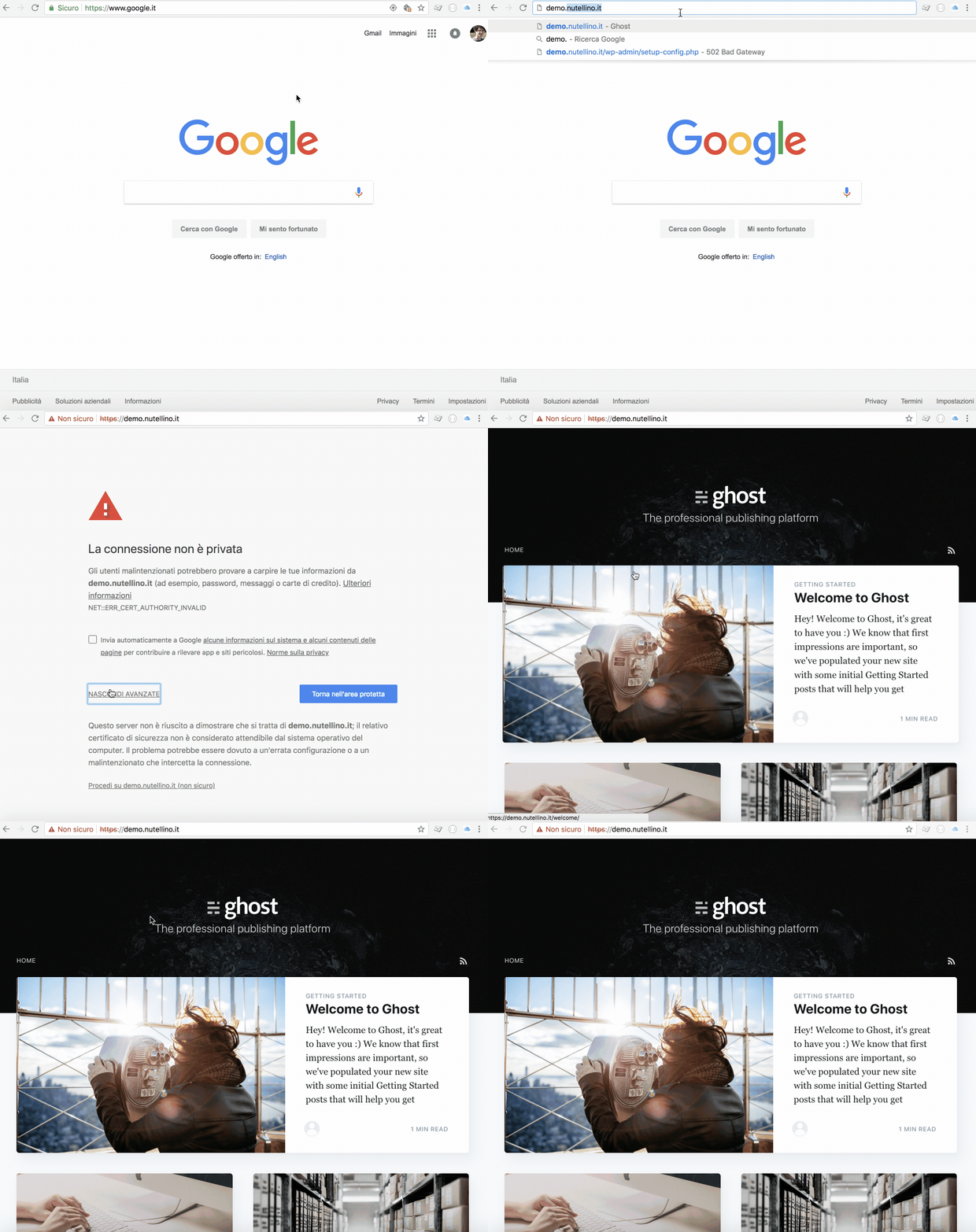
Example of the ghost site just created with this procedure (obviously the let's encrypt certificate used is the staging one, so as not to hit the issue limits for real certificates):
That wraps up the guide! If you have any questions, comment below!
:)
$ cat ~/archivio/terraform-hetzner-cloud-route-53-e-lets-encrypt.md
WARNING: this file is from 2018.
I wrote it, but a me from a few years ago: it may no longer reflect what I think or what I can do.
NOTE: machine translation from Italian, the original is here.
Continue? [y/N]